
CGM Trend Arrow Dose Adjustment Calculator
CGM Trend Arrow Dose Adjustment Calculator
Calculate your precise insulin dose adjustment based on your current glucose level, trend arrow type, correction factor, and insulin on board.
Important Safety Notes
Never adjust insulin based on a single arrow if:
- You've recently eaten (within 1-2 hours)
- It's during sensor warm-up (first 2 hours)
- You're experiencing signal loss
- Insulin on board is > 1.5 units
Adjustment Result
Caution: This tool calculates adjustments based on the Endocrine Society guidelines. Always consult your healthcare provider before changing insulin doses. Never reduce insulin if glucose is already low (< 100 mg/dL), and avoid adjustments during sensor warm-up periods.
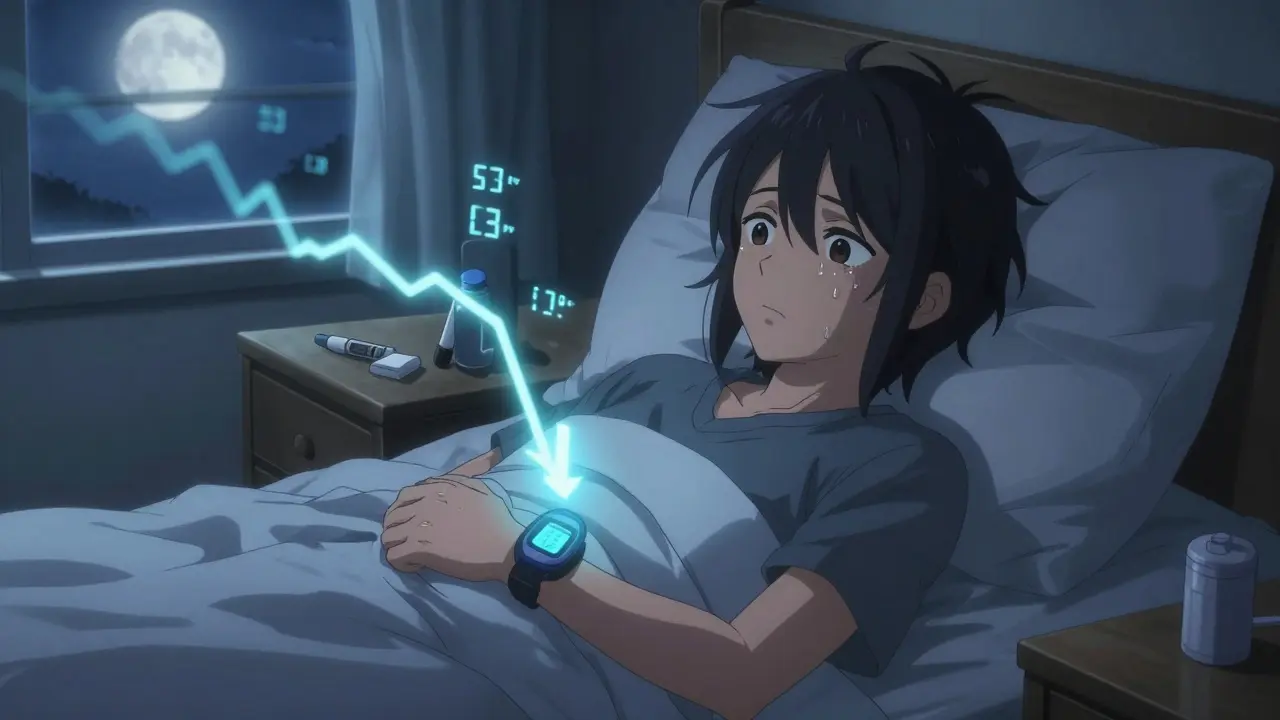
When you're managing diabetes with insulin, the biggest fear isn't just high blood sugar-it's the sudden, silent crash that comes out of nowhere. A 3 a.m. low that leaves you shaking. A post-meal spike that lingers for hours. For years, people with diabetes had to react to these events after they happened, using fingerstick tests that gave only a single snapshot in time. But now, with continuous glucose monitors (CGMs), you don't have to wait for trouble to strike. You can see it coming-before it happens. And that changes everything.
What CGM Trend Arrows Really Tell You
CGMs don't just show your current glucose number. They show you where it's headed. Every five minutes, your device calculates the direction and speed of your glucose change and displays it as a trend arrow. These aren't random symbols. They're precise signals: double-up means glucose is rising fast, single-down means it's falling slowly, and double-down means it's dropping like a stone. The Endocrine Society's 2017 guidelines turned these arrows from curiosity into clinical tools, giving clear, evidence-based rules for how to adjust insulin doses based on them.For example, if your glucose is 140 mg/dL and you see a double-up arrow, your body is likely heading toward 200 mg/dL or higher within 30 minutes. That's not just a high-it's a pre-emptive warning. The same goes for a double-down arrow at 110 mg/dL. That’s not a safe number if your glucose is plummeting. You could be at 60 mg/dL in 20 minutes. Without trend arrows, you'd have no idea. With them, you can act.
How to Adjust Insulin Doses Using Trend Arrows
The key to making this work is understanding your personal correction factor. That’s how much one unit of insulin lowers your blood sugar. If your factor is 1:50, one unit drops your glucose by 50 mg/dL. If it’s 1:30, it drops by 30. This varies by person, age, activity level, and even time of day. Your doctor or diabetes educator should help you figure this out.Once you know your factor, you follow a simple formula. For adults using rapid-acting insulin:
- Double-up arrow (fast rising): Add 1.2 units to your pre-meal or correction dose
- Single-up arrow (rising): Add 0.8 units
- Flat arrow (stable): No change
- Single-down arrow (falling): Subtract 0.8 units
- Double-down arrow (fast falling): Subtract 1.2 units
These numbers aren’t guesses. They’re based on real-world data from thousands of patients. A 2017 study in Diabetes Technology & Therapeutics found that people using this method had 28% fewer lows and spent 17% more time in their target range (70-180 mg/dL) compared to those who only used fingersticks.
For children and teens, the adjustments are slightly smaller: +1.0, +0.6, 0, -0.6, -1.0 units respectively. This accounts for their smaller body size and more sensitive insulin response. Parents often find these pediatric tables a lifesaver-especially at night when a fast-falling trend can trigger panic.
Why This Works Better Than Old Methods
Before CGMs, you checked your blood sugar, saw it was high, and gave insulin. Then you waited. And waited. Sometimes, your sugar kept climbing. Other times, it crashed because you gave too much. You were always reacting.CGM trend arrows change that. They give you a 15-30 minute forecast. That’s like having a weather radar for your blood sugar. If you see a double-down arrow before dinner, you don’t just reduce your insulin-you might hold off on eating carbs until it stabilizes. If you see a double-up before bed, you can give a small correction to avoid a spike overnight.
One user on the TypeOneGrit subreddit shared: “I went from 3.2 lows a week to 0.7 after I started using the trend arrows. It took the guesswork out.” That’s not luck. It’s science.

When Trend Arrows Can Trick You
This isn’t magic. Misusing trend arrows can make things worse. A 2019 case series in Diabetes Care found that 12% of new CGM users actually increased their risk of hypoglycemia because they over-corrected. How? They saw a single-down arrow after a meal and cut their insulin-without realizing they still had insulin on board from earlier. That’s called “stacking.”Another trap is ignoring sensor lag. If you just ate a big meal or exercised, your CGM might show a flat arrow while your real glucose is still rising. Or if you’re on a rollercoaster of highs and lows, the arrow might flip back and forth, leaving you paralyzed.
Here’s how to avoid those pitfalls:
- Always check your insulin-on-board (IOB) before adjusting. If you gave insulin in the last 2-3 hours, don’t add more unless the trend is extreme.
- Don’t adjust during sensor warm-up (first 2 hours after inserting) or after signal loss.
- If you’re unsure, stick to your standard correction formula. Better to be safe than sorry.
Dr. Irl Hirsch from the University of Washington warns: “Over-reliance on trend arrows without understanding your insulin kinetics can lead to stacking errors.” That’s why education matters.
What About Non-Insulin Medications?
Most people think CGM adjustments only apply to insulin. But the 2024 ADA/EASD consensus report now recommends using trend arrows to guide non-insulin meds too. For example, if you're on an SGLT2 inhibitor (like dapagliflozin or empagliflozin), and your CGM shows persistent euglycemic ketosis-glucose under 180 mg/dL with ketones above 0.6 mmol/L-you may need to reduce the dose. These drugs can cause dangerous ketone buildup even when sugar looks normal.Even GLP-1 agonists like semaglutide can be fine-tuned. If your CGM shows frequent post-meal spikes despite taking your dose, your provider might consider increasing it. If you’re seeing frequent lows without clear cause, they might lower it. CGM turns guesswork into data-driven decisions-even for non-insulin drugs.

Who’s Using This-and Who Isn’t?
A 2021 survey by Beyond Type 1 found that 68% of CGM users adjust doses using trend arrows. Of those, 82% reported better time-in-range. But 32% didn’t use them at all. Why? Fear of miscalculation (47%) and lack of provider education (39%).That’s the biggest barrier. A 2023 JAMA Internal Medicine study found only 31% of primary care doctors feel confident teaching this method. Most patients get a CGM device, a quick demo, and are sent home. No training on trend arrows. No practice with correction factors. No follow-up.
The ADA’s 2023 Standards of Care say everyone on insulin should get structured CGM education within 30 days of starting. That includes 2-3 sessions, each 45-60 minutes long. The first teaches insulin action times. The second covers how to interpret arrows in context of recent doses. The third walks through real-life scenarios-like what to do before a workout or during illness.
Dexcom now offers printable reference cards with the adjustment tables. YouTube educators like Kerri Sparling have made simple tutorials. But unless your provider takes the time to walk you through it, you’re flying blind.
The Future: AI, Apps, and Automation
The next leap is automation. In May 2023, the FDA cleared the first app-DAFNE+-that automatically calculates trend arrow adjustments using Dexcom G6 data. In trials, it cut user error by 62%. It doesn’t replace you-it just does the math so you don’t have to.Verily’s Onduo platform is taking it further. In a 2022 NEJM pilot, their AI system predicted glucose trends 45 minutes ahead using machine learning, not just arrows. It reduced hypoglycemia by 38%. These aren’t sci-fi dreams-they’re real, FDA-approved tools already in use.
By 2026, the goal is to get 75% of CGM users properly trained in trend arrow use. Right now, it’s 44%. The CDC and ADA are rolling out educator certification programs. Manufacturers are pushing for standardized arrow definitions across devices. And the Endocrine Society is updating its 2017 guidelines to include Dexcom G7 and Abbott Libre 3 data.
This isn’t about fancy tech. It’s about taking control. If you’re on insulin and using a CGM, you’re already ahead. But if you’re not using the arrows, you’re missing half the picture. The data is there. The guidelines are clear. The tools are ready. You just need to learn how to read them.
Can I adjust my insulin dose based on trend arrows if I’m not on insulin?
Trend arrow adjustments are primarily designed for people using insulin, but they can still inform decisions for non-insulin medications. For example, if you’re on an SGLT2 inhibitor and your CGM shows persistent euglycemic ketosis (glucose under 180 mg/dL with ketones above 0.6 mmol/L), your provider may recommend reducing your dose. Similarly, frequent lows or highs on GLP-1 agonists might prompt a dose adjustment. Always consult your care team before changing any medication.
What if my CGM shows a double-down arrow but I just ate?
Don’t reduce your insulin right away. If you just ate, your glucose may still be rising even if the CGM shows a downward trend due to sensor lag. Wait 15-20 minutes, check your insulin-on-board, and recheck the trend. If it’s still falling and you’re near your target, then consider a small reduction. But never reduce insulin based on a single arrow if you’ve recently eaten.
Do all CGMs use the same trend arrow system?
No. Dexcom uses double arrows for rates above 2 mg/dL per minute, while Abbott’s FreeStyle Libre uses them for rates above 3 mg/dL per minute. This inconsistency can cause confusion. The 2023 AACE consensus report recommends standardizing arrow definitions across devices. Until then, always refer to your device’s user manual and confirm your settings with your diabetes educator.
How long does it take to learn how to use trend arrows properly?
Most people need 2-3 education sessions, each lasting 45-60 minutes. The first covers insulin action times, the second teaches how to interpret arrows with your personal correction factor, and the third walks through real-life scenarios like meals, exercise, and overnight. Many users report feeling confident after one week of practice. Don’t rush it-mistakes can lead to dangerous lows or highs.
Is it safe to use trend arrows at night?
Yes, and it’s often lifesaving. Nighttime lows are one of the most dangerous risks for people with diabetes. If your CGM shows a double-down arrow while you’re sleeping, you can set an alert to wake you up or reduce your basal rate if you’re on an insulin pump. Parents of children with diabetes find these nighttime alerts especially valuable. Always pair trend arrows with alarms and have fast-acting carbs nearby.
15 Comments
February 18, 2026 James Lloyd
Finally, someone broke down the math in a way that actually makes sense. I’ve been using CGMs for 4 years and only last month did my endo sit me down and walk me through correction factors with real examples. The 1.2/0.8/0/-0.8/-1.2 system? Game-changer. I went from 3 nighttime lows a week to zero. No more panic alarms at 3 a.m. Just calm, data-driven decisions. Also-yes, check your IOB. Always. Stacking insulin is how you end up in the ER.
February 18, 2026 Logan Hawker
Oh, so you’re telling me that after 20 years of diabetes, I’m supposed to now… *calculate*? How quaint. I mean, I get it-your little trend arrows are like a weather app for your pancreas, but let’s be real: most of us aren’t data scientists. I just want to eat tacos without having to do polynomial regression before each bite. Also, why does every ‘solution’ require another app? We’re not building a rocket ship here.
February 19, 2026 Digital Raju Yadav
USA always thinks it owns diabetes tech. But in India, we’ve been managing with ₹50 test strips and intuition since the 90s. You people turn a simple disease into a Silicon Valley product launch. Trend arrows? Please. My aunt in Jaipur uses a glucose meter, a notebook, and her gut. She’s been stable for 12 years. Maybe your tech is the problem, not the solution.
February 19, 2026 Carrie Schluckbier
Wait. So you’re telling me Big Pharma *wants* us to use CGMs? Because if we just *understand* the arrows, we’ll need fewer meds? Or worse-what if they’re using the data to track us? Who owns your CGM data? Dexcom? Google? The FDA? I’ve read about this. There’s a hidden algorithm that adjusts your insulin based on your location, income, even your social media. You think this is science? It’s surveillance. And they’re selling your blood sugar to advertisers.
February 21, 2026 guy greenfeld
There’s a metaphysical layer here, isn’t there? The arrow isn’t just a symbol-it’s a mirror. It reflects not just glucose, but our anxiety, our need for control, our fear of the unpredictable. We’ve turned a biological rhythm into a quantified ritual. We don’t live anymore-we optimize. We don’t experience highs and lows-we *manage* them. And in doing so, we’ve outsourced our intuition to a machine. Is that liberation… or surrender?
February 22, 2026 Steph Carr
Okay, I’ll say it: I used to think this was overkill. Then I had a 3 a.m. low that left me sobbing in the kitchen. Now? I have a sticky note on my fridge: ‘Double-down = pause carbs.’ I’m not a nerd. I’m a mom. And this? This saved my life. Also-yes, the arrow system works. But please, if you’re going to use it, *practice* with your educator first. Don’t wing it like I did. I almost took myself out with a 4-unit correction. 🙃
February 23, 2026 Kancharla Pavan
You claim this is science, but you ignore the fundamental flaw: insulin is not a calculator. It is a hormone. It responds to stress, sleep, hormones, inflammation, even the weather. You reduce your dose based on a single arrow while ignoring cortisol spikes from a bad night’s sleep? You will crash. And then you will blame the device. The real problem? You think a machine can replace biology. You think a number can replace wisdom. You think a trend arrow can replace experience. That is not science. That is arrogance. And arrogance kills.
February 24, 2026 PRITAM BIJAPUR
🙌 Finally, someone who gets it! I’ve been using Libre 3 since January, and the arrow system has been revolutionary. I now know when to delay my lunch if I see a double-up, and I’ve cut my A1c from 8.2 to 6.9 in 4 months. Also-use emojis! 📈⬇️✅. And yes, check IOB. Always. I once added insulin after a meal because the arrow went down… turns out, I had 2.1 units still active. Oops. 🤦♂️ But now? I’m golden. This isn’t tech-it’s freedom.
February 24, 2026 Dennis Santarinala
Just wanted to say thanks for writing this. I’m 67 and was about to give up on CGMs because I thought I couldn’t ‘do the math.’ But I sat down with my daughter, printed out the table, and practiced for a week. Now I’m sleeping through the night. No alarms. No panic. Just… peace. You don’t need to be a genius. You just need to be patient. And maybe a little curious.
February 25, 2026 Tony Shuman
Let’s not pretend this isn’t about profit. Dexcom’s stock went up 300% since 2017. Abbott’s Libre? Same. The ADA? They’re funded by device manufacturers. The ‘guidelines’? Written by people who sit on advisory boards for these companies. You think they care about your health? They care about your subscription. This isn’t medicine. It’s a subscription economy wrapped in a lab coat.
February 26, 2026 Haley DeWitt
OMG YES. I just started using this last week and my sugar has been so much more stable!! I used to panic every time I saw a single-down arrow and would eat a whole banana. Now I wait 10 mins, check IOB, and chill. It’s like learning a new language. Took me 3 days. Worth it. 😊
February 27, 2026 John Haberstroh
I used to think CGMs were for people who wanted to turn their diabetes into a video game. Then I got one. Now I call it my ‘blood sugar crystal ball.’ It doesn’t tell me what to do-it shows me the path. And sometimes, the path is ‘do nothing.’ That’s the real gift. Not control. Awareness. I didn’t know I needed to be this quiet about my body until it started talking back.
February 27, 2026 Adam Short
British NHS doesn’t even *offer* CGMs to most Type 2s. Meanwhile, Americans are out here doing calculus on their insulin doses. You’ve got the tech, but you’ve lost the sense. We manage with diet, walking, and a bit of metformin. No arrows. No apps. Just common sense. Maybe we’re the ones who got it right all along.
February 28, 2026 James Lloyd
Re: @7731 - You’re right about cortisol. That’s why the guidelines say to look at *trends over 30 minutes*, not one arrow. If I see a double-down after a stressful day, I don’t cut insulin-I check my stress levels. Sometimes the arrow’s lying. That’s why education matters. Not tech. Understanding. And yes-I’ve had my own crashes. This isn’t magic. It’s a tool. Like a stethoscope. You still need to know what you’re listening for.
March 2, 2026 Linda Franchock
Also-this isn’t just for insulin. My friend on GLP-1 was having weird lows and didn’t know why. Her CGM showed euglycemic ketosis. She called her doc. They cut her dose. She’s fine now. CGMs are the great equalizer. Even for people who don’t use insulin. We’re all just trying not to die. This helps. Just… please, learn before you leap.
Write a comment